How to stop gatecrashers at a wedding
The short answer. Stop gatecrashers before the day as well as on it. Invite each guest by name with their own link, not a shared image, so a forwarded invitation still names the guest it was sent to. Then give whoever is on the door a list for that event and a way to check it in seconds: a name search, or a pass on each guest's phone that only lets them in once.
Why do gatecrashers get in?
Almost nobody climbs a wall. Gatecrashers walk in because nobody at the door can say no with confidence. The usher doesn't know the families, the list is on paper in the wrong order, a queue is building, and the stranger says they are with the bride's aunt.
Most of the work happens weeks earlier, in how the invitation was sent. An invitation shared as one picture in a group chat can be forwarded to anyone, and it tells the whole group who else is invited. A forwarded flyer looks exactly like an invitation at the gate.
Before the day: invitations that can't be passed on
- Name every guest. Send each household its own invitation with the names on it. "Kemi and Dayo" is an invitation for two; "Kemi and family" with no number on it is an invitation for whoever turns up.
- Send one by one. A message to each guest, not a broadcast or a group. Our guide to sending wedding invitations on WhatsApp shows how.
- Say who it is for. Set how many people each invitation covers, and say so on it. If plus-ones are welcome, say how many. If children aren't, say that too. See plus-ones and children.
- Keep each event's list separate. If the reception is bigger than the church, guests invited only to the reception shouldn't be told the church's time and place. Our multi-day guest list guide walks through it.
- Ask for a reply. A firm reply-by date and a reminder mean the list at the door is a list of people who said yes, not a list of everyone you once thought of asking.
- Keep the website for guests. Put a password on it, so the address alone doesn't hand a stranger the venue and the time.
On the day: a list at the door that works
Whatever you use, the people on the door need three things: the list for this event, a way to find a name in a second or two, and the authority to ask someone to wait.
| Method | Good for | Where it fails |
|---|---|---|
| A printed list | Small weddings, a door team who know the families | Slow to search, can't see what another gate has let in, easy to read over a shoulder |
| A shared spreadsheet on a phone | Medium lists, one entrance | Two people editing at once, and nothing stops the same name being ticked twice |
| Wristbands or printed cards | Events with a re-entry rule | They have to be handed out first, and a card can be copied |
| A pass on each guest's phone | Large weddings, several gates | Needs signal at the door, and someone has to scan it |
Choose the door team on purpose. Two people who know both families, plus one calm person who doesn't, is better than four ushers who know nobody.
How do QR passes stop gatecrashers?
A pass is a code that belongs to one invitation. When it is scanned, the door screen says at once whether the people on it are invited to this event and whether they are already inside. The second answer is the one that matters: if a pass has been screenshotted and handed to someone else, then once everyone on it has been let in, anyone else showing it gets "Already inside", with the time they came in.
Because the door reads each guest's reply, a guest who said no is also flagged if they turn up, so the door can ask the hosts before letting them in rather than finding out at the table plan.
What to say to someone who isn't on the list
Most gatecrashers are not villains. Some are a guest's partner who wasn't invited, some misunderstood a forwarded message. Keep it polite and keep it away from the couple.
I'm so sorry, I can't see your name on the list for today. Could you wait here a moment while I check with the family?
I'm really sorry, this one is by invitation only and the family have asked us to keep to the list. I hope you understand.
Hi Tunde, there's a lady at the gate called Bisi who says she's with Auntie Ngozi. She isn't on our list. Is she one of ours?
Name one person who can make the call on the day, who isn't the couple and isn't the photographer. Their phone number should be the first thing the door team has.
How to do it with Our Guest List
Door check-in is part of Our Guest List on every plan, including the free one.
- Invite by name. Add each guest and choose which events they are invited to. Each gets their own invitation link with their names on it, so there is no general invitation to pass around.
- Turn on door check-in. On the Celebration step, find Checking guests in and turn it on. Every guest who says yes then gets a pass on their invitation, with a code printed under it.
- Send the door link. Copy the link for the door team and send it to each person on the door directly, not in a group, since it shows your guest list. They don't need an account or an app.
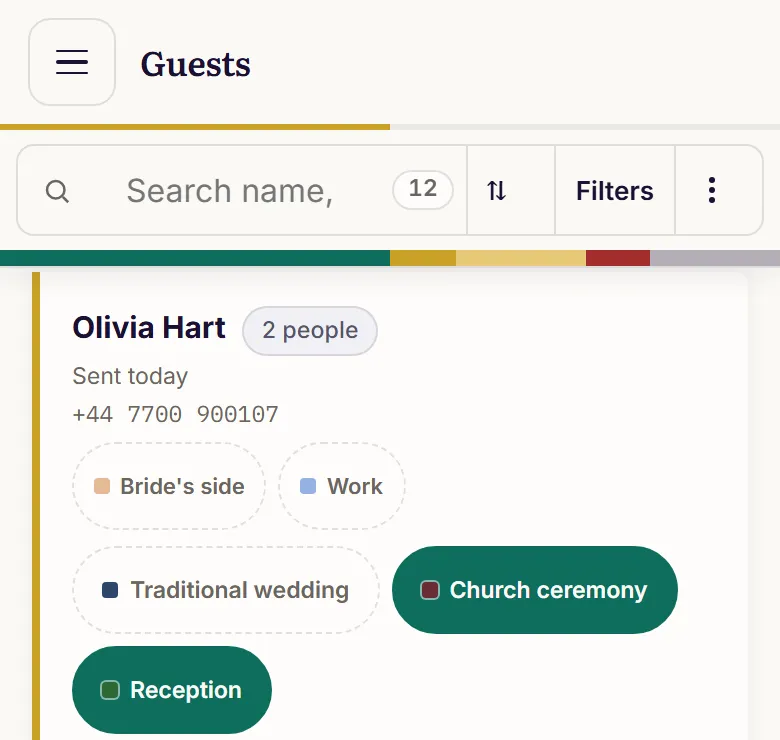
- Scan or search. On the day they press Scan a pass, type the code under it, or search a name. The screen says who is on the invitation and whether they are invited to this event.
- Let them in. Tick who is here and press Let them in. A second phone at another gate sees them as inside within seconds.
The door screen counts people as they arrive: how many are inside, and how many are expected from the guests on the list. Four answers come back from a scan:
| The door sees | What it means |
|---|---|
| The guests' names | On the list for this event. Tick who is here and let them in. |
| Already inside since 7.42pm | Everyone on this pass has been let in. If someone else is holding it, ask the hosts. |
| They said no | They told you they couldn't come. Let them in only if you're happy to. |
| Not on the list for the reception | Nobody on this invitation is asked to this event. |
The free plan covers 50 guests and two events. Bigger weddings need a package, from £65 as a one-off payment: Tailored takes you to 400 guests and as many events as you have. See the wedding page for everything it does.
Questions people ask
- How do you stop people gatecrashing a wedding?
- Invite every guest by name with their own invitation instead of a shared image, set how many people each invitation is for, collect replies, and give the door team the list for that event with a fast way to check it, such as a pass on each guest's phone that only works once.
- Can a guest share their QR pass with someone else?
- They can show it to someone, but it only lets each person in once. The second time the same pass is scanned, the door sees that everyone on it is already inside, with the time they arrived.
- What if there is no phone signal at the venue?
- Check before the day. The door screen warns when it loses signal, and check-ins made while offline may not save or reach other gates. A printed list as a backup for that hour is sensible.
- Do guests who never replied get a pass?
- A pass appears once a guest says yes. If a guest who never replied turns up, the door can still find them by name, and the list shows they were invited.
- Who should be on the door at a wedding?
- Someone who knows each family, and one person who can make a decision without fetching the couple. Give them the list, a phone number for that decision-maker, and the wording for asking someone to wait.
Last updated 30 October 2026